
YouTube Automation with AI Tools: A Beginner’s Friendly Guide
If you’ve ever dreamed of running a successful YouTube channel without spending endless hours editing videos, scripting, and managing uploads, you’re in the right place. YouTube automation with AI tools is changing the game, making it easier for beginners to create and grow channels without being overwhelmed.
In this article, we’ll explore how AI can help automate your YouTube workflow, what tools you can use, the benefits and drawbacks, and practical tips to get started. Whether you want to create content passively or just save time, this guide has got you covered.
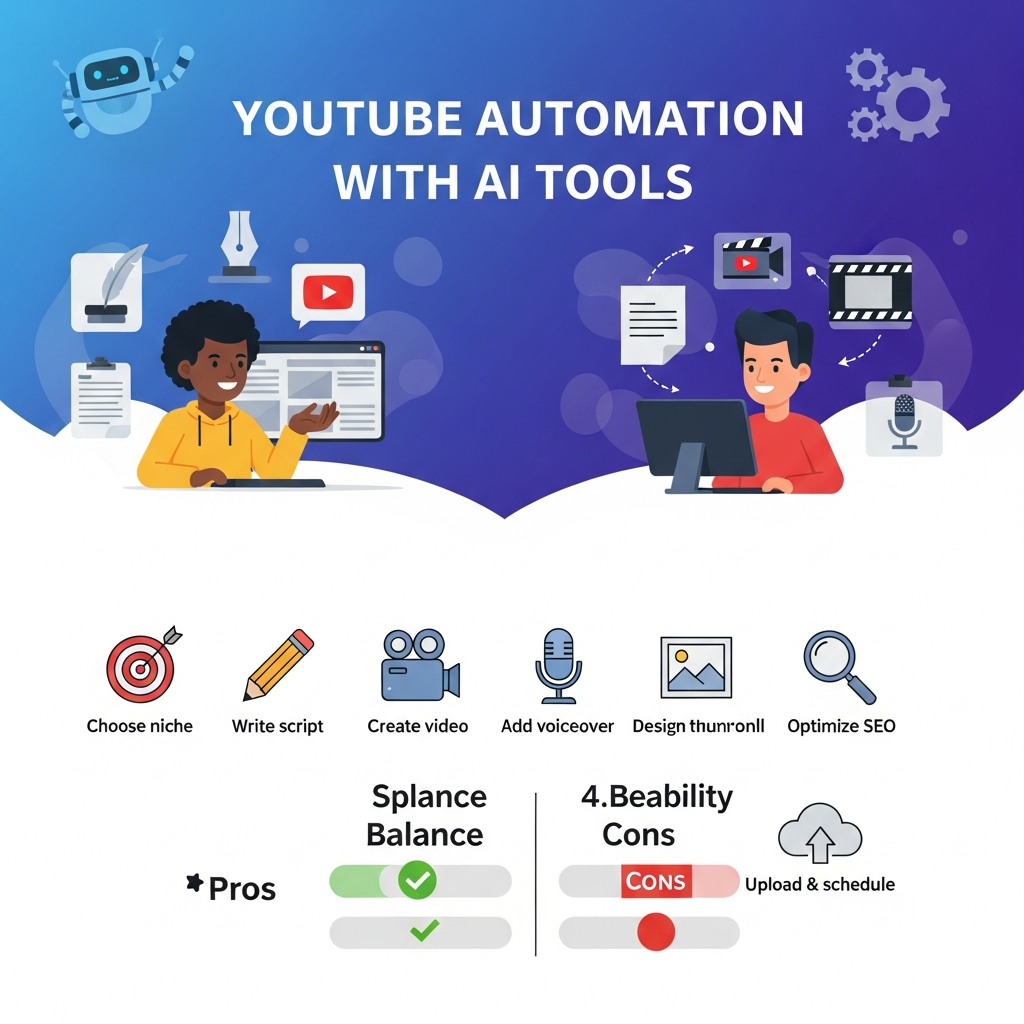
What Is YouTube Automation with AI?
Simply put, YouTube automation with AI tools means using artificial intelligence technology to handle repetitive or time-consuming tasks involved in creating and managing YouTube videos. These tasks can include video editing, scriptwriting, thumbnail creation, voiceovers, and even optimizing videos for search.
Instead of doing everything manually, you let AI handle parts of the process, freeing you up to focus on strategy, creativity, or other priorities.
How Does It Work?
AI tools analyze your input—like text, images, or rough footage—and then generate content or perform tasks automatically. For example, an AI video editor might cut and arrange clips based on your script, while an AI voice generator can read your script aloud with a natural-sounding voice.
Why Use AI for YouTube Automation?
For beginners, the hardest part of starting a YouTube channel is often the workload. Creating quality videos from scratch is time-consuming and requires multiple skills. AI can make this easier by:
- Saving time: Automate editing, voiceovers, and thumbnail design.
- Lowering costs: Reduce the need to hire professionals for editing or voice acting.
- Boosting consistency: Upload videos regularly without burnout.
- Improving SEO: AI can help optimize titles, descriptions, and tags to reach more viewers.
Popular AI Tools for YouTube Automation
Here are some beginner-friendly AI tools that can help automate your YouTube process:
- Scriptwriting: Tools like Jasper AI or Writesonic help you generate engaging scripts quickly.
- Video creation and editing: Platforms like Pictory, InVideo, or Lumen5 can transform text scripts into videos automatically.
- AI voiceovers: Services such as Murf or WellSaid Labs create realistic voiceovers from text.
- Thumbnail design: Canva’s AI-powered features or Thumbnail Blaster make eye-catching thumbnails.
- SEO optimization: TubeBuddy and VidIQ analyze keywords and suggest tags for better reach.
Step-by-Step Guide to Automate Your YouTube Channel
Ready to get started? Here’s a simple process for beginners:
- Choose your niche: Pick a topic you’re passionate about, or that has good viewer demand.
- Write a script: Use an AI writing tool or draft your own. Keep it clear and engaging.
- Create the video: Use AI video makers to turn your script into footage, adding images, clips, and animations.
- Add voiceover: Generate an AI voiceover or record your own.
- Design a thumbnail: Use AI tools for professional-looking thumbnails.
- Optimize for SEO: Research keywords and add them to your title, description, and tags.
- Upload and schedule: Set your videos to publish regularly to keep your audience engaged.
Example: Automating a Top 10 Facts Video
Say you want to create a “Top 10 Facts about Space” video. You could:
- Use an AI writer to generate your script listing the facts.
- Upload the script to an AI video maker, which adds images of planets and animations automatically.
- Generate an AI voiceover reading the script smoothly.
- Create a catchy thumbnail with AI-based design tools.
- Optimize your video title and tags with SEO tools to attract space enthusiasts.
Pros and Cons of YouTube Automation with AI
Pros
- Efficiency: Speeds up video production.
- Cost-effective: No need for expensive equipment or teams.
- Consistency: Helps maintain a regular upload schedule.
- Beginner-friendly: No advanced editing skills required.
Cons
- Less personal touch: AI videos may feel less authentic or unique.
- Quality concerns: Automated content sometimes lacks polish or depth.
- Learning curve: You need time to learn AI tools effectively.
- Platform rules: YouTube policies require originality; automation must be used wisely.
Top Tips for Successful YouTube Automation
- Start small: Automate one part of your workflow at a time.
- Customize AI output: Edit AI-generated scripts or videos to add your personality.
- Focus on quality: Don’t sacrifice valuable content for speed.
- Use analytics: Track your video performance and adjust your strategy.
- Stay updated: AI tools evolve quickly, so keep learning new features.
Common Beginner Questions Answered
1. Is YouTube automation with AI allowed?
Yes, as long as your content follows YouTube’s community guidelines and copyright rules. Avoid copying content directly and aim to add value.
2. Can AI replace human creativity?
AI is a tool to assist, not replace, your creativity. Use it to speed up tasks but add your unique voice and ideas.
3. How much does AI automation cost?
Many AI tools offer free trials or affordable monthly plans. You can start with budget-friendly options and scale up.
4. Do I need technical skills?
No, most beginner-friendly AI tools have simple interfaces and tutorials, so you can learn as you go.
5. Will automation make my channel grow faster?
Automation helps maintain consistency and efficiency, which can improve growth. But success depends on quality content and audience engagement.
Conclusion: Embrace AI to Simplify Your YouTube Journey
YouTube automation with AI tools offers an exciting way for beginners to start and grow channels without getting bogged down by technical hurdles or time constraints. By smartly combining AI assistance with your own creativity, you can produce engaging videos more easily and consistently.
Remember, automation is about working smarter, not harder. Start small, choose the right tools, and always focus on delivering value to your viewers. With practice, you’ll find the perfect balance to grow your YouTube presence confidently.
Happy creating!
FAQs
- What tasks can AI automate on YouTube? AI can help with scripting, video editing, voiceovers, thumbnail design, and SEO optimization.
- Are AI-generated videos allowed on YouTube? Yes, but they must follow YouTube’s policies and avoid copyright infringement.
- Can I use AI for live streams? AI tools mostly focus on pre-recorded videos, but some assist with live captions or chat moderation.
- Which AI tool is best for beginners? Tools like Pictory for video creation and Jasper AI for writing are great starting points.
- Will automation reduce my channel’s authenticity? It can if overused. Always personalize AI output to keep your unique style.